
Golf Simulator Holiday Guide for 2025 – Teh Best Deals Worth Shopping (And What to Avoid)
why 2025 is a pivotal year for golf simulators
The indoor golf market has matured, delivering more accurate ball tracking, richer course libraries, and easier installation than ever before. In 2025,discounted bundles,software upgrades,and smarter space-saving enclosures make it easier to build a premium indoor golf setup without breaking the bank. Whether you’re a weekend warrior or a serious player, the right golf simulator can transform your winter practice, help you analyze swing data, and deliver real-on-course confidence when spring arrives.
Top picks for 2025: Best overall golf simulator packages
When you’re shopping for a golf simulator in 2025, consider the three pillars: hardware (sensor system), software (course library and features), and enclosure/display (how you actually see and feel the ball flight). Here are three solid archetypes to match different budgets and goals.
Premium complete systems (staff-favorite options)
- TrackMan-based setups or GCQuad configurations offer elite ball-tracking accuracy, robust software ecosystems, and premium customer support.
- Pros: High fidelity data (launch angle, spin rate, clubface angle), live metrics, strong resale value.
- Cons: Higher upfront cost, larger footprint, professional calibration often recommended.
Mid-range complete packages (the sweet spot)
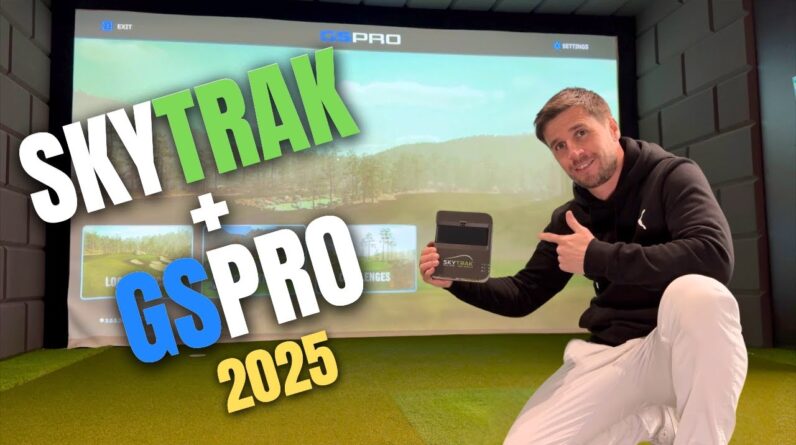
- SkyTrak or similar mid-range sensors paired with a capable enclosure and reputable software like The Golf Club 2019/2024 or TGC software bundles.
- Pros: Excellent value,solid data for practice and fun rounds,broad software options.
- Cons: Not quite the same ultimate accuracy as top-tier systems, depending on setup quality.
entry-level sims (fun first, upgrade later)
- OptiShot 2 with a projection or TV, paired with affordable simulators and basic software libraries.
- Pros: Low upfront cost, easy to assemble.
- Cons: Less precise data, smaller course libraries, and variable sensor reliability.
Best holiday deals to watch for in 2025
Holiday shopping can unlock ample savings if you plan ahead. Here are categories and timing that consistently yield the best value this year.
Black Friday and Cyber monday windows
Most major golf-sim vendors release bundled discounts during late November. Expect deals that include enclosure kits, projectors or screens, and/or software add-ons bundled with your sensor unit. Pro tip: sign up for vendor newsletters in advance and set price alerts on price-tracking sites.
Holiday bundles and regional promos
Some retailers offer limited-time bundles that add accessories like hitting mats, extra sensors, or upgrade paths to the software library. Space-saving or “starter kit” bundles can be notably attractive for first-time buyers looking to complete a space-saving indoor golf room.
Display, enclosure, and space considerations
Your display method and enclosure choice dramatically impact the realism and comfort of your indoor golf setup. Here’s how to approach display technologies and space planning in 2025.
Projector vs. large-screen TV vs. LED display
- Projector + hitting mat + impact screen: closest to real-life feel and max image size; check throw distance and ambient light control.
- Large 4K HDR TV: simpler, less setup, decent image quality; best in bright rooms with good viewing angles.
- LED display panels: premium option with superb brightness and latency control; typically higher cost and space needs.
Enclosures, impact screens, and mat quality
- Invest in a durable impact screen rated for golf ball impact; consider screen tension and frame stability.
- A high-quality hitting mat reduces wear on the club and helps replicate a realistic feel.
- Ensure the enclosure protective netting or walls are properly rated for your swing speed and ball speed to minimize collateral damage.
Space and installation basics
- Recommended footprint: at least 10×12 feet for full-swing practice, with ceiling height of 9–10 feet for cozy vertical clearance.
- Budget for cable management and floor protection; a clean, closed-off space improves acoustics and data accuracy.
- Calibration and setup usually take 1–2 hours for mid-range systems; plan an installation day with a helper if needed.
What to avoid: common pitfalls when buying a golf simulator this holiday season
- Buying solely on price without considering software libraries and data fidelity. A cheap sensor with a weak course library may frustrate more than it helps your game.
- Underestimating space requirements. Rushing the purchase can lead to cramped configurations that hinder swing movement or trigger misreads.
- Neglecting software updates and support.Ensure your chosen package receives ongoing advancement, new courses, and firmware updates.
- Ignoring warranty and serviceability. A reliable warranty and accessible support can save you headaches after the installation.
Installation tips and practical setup guidance
- Plan for swing footprint: consider a 7–8 ft width at minimum for comfortable full swings; adjust enclosure accordingly.
- place the screen and projector or TV away from windows or bright sources to minimize glare.
- Use a proper impact screen tension system and a high-quality mat with shock-absorbing properties to extend equipment life.
- Calibrate sensors in a well-lit environment; follow the software’s calibration steps to optimize data accuracy.
- Consider a dedicated power circuit and surge protection for stable performance and to protect electronics.
Software and course libraries that matter in 2025
The value of a golf simulator isn’t just the hardware; it’s the software. Look for robust course libraries, useful practice modes, realistic ball flight models, and regular updates. Popular options include:
- The Golf Club 2019/2024 (TGC) – strong community content, modular learning tools, frequent updates.
- E6 Golf – highly realistic graphics and precise ball flight modeling; great for serious players.
- Flight-sim style visuals and practice modes in mid-range packages – a solid balance for most home setups.
- Third-party add-ons and updates that bring new courses and updated ball data into your library.
First-hand experiences and case studies
Real-world examples help translate product specs into practical expectations. Here are two succinct anecdotes from homeowners and indoor golf enthusiasts who leaned into the 2025 market trends.
Case study: a compact 9×12 ft garage-to-golf-room upgrade
- Setup: Mid-range sensor (SkyTrak), enclosure with a 108″ screen, and The Golf Club software.
- Outcome: Accurate data for practice, a 30–40 minute setup time for a full round, and consistent, repeatable practice sessions during winter.
- Takeaway: A well-chosen mid-range system with a solid software library can deliver immersive practice without a large budget or a dedicated room.
Case study: high-end customization for a dedicated indoor golf room
- Setup: Premium tracking (TrackMan GCQuad) with a dedicated enclosure,4K display,and premium software.
- Outcome: Near-venue-level feel, high-precision data, and enhanced coaching opportunities for the family’s weekend group sessions.
- Takeaway: If you value top-tier data and long-term resale value, a premium system plus proper setup pays off, especially if the room is used frequently.
Rapid deals snapshot: compare top options (2025)
Below is a concise snapshot of current or typical holiday bundles. availability and pricing vary by region and retailer. Always verify current offers before purchasing.
| Deal | Vendor | What’s Included | Estimated Savings | Validity |
|---|---|---|---|---|
| Black friday Starter Bundle | Vendor A | SkyTrak sensor + enclosure + 1-year software license | Up to 20% | Nov 25–Nov 30 |
| Cyber Monday Premium Bundle | Vendor B | GCQuad or TrackMan-based system + high-end projector + course library | 15–25% off | Nov 28–Dec 2 |
| Holiday Clearance | Vendor C | Entry-level package with software add-ons | up to 30% off | Dec 15–Dec 31 |
| Bundle + Free Shipping | Vendor D | Mid-range sensor + enclosure, mat, and screen upgrade | Extra 5–10% value | Limited-time |
Space planning quick checklist
- Clear a safe swing zone of at least 10×12 feet for full swings; add 1–2 feet of buffer on each side.
- Ceiling height of 9–10 feet give you comfortable clearance for mid-height drives and slow-motion practice swings.
- Choose a location with controllable lighting to maximize screen clarity and sensor accuracy.
- Ensure a sturdy power source and appropriate surge protection; consider dedicated circuits for electronics and projector power if needed.
Benefits and practical tips for maximizing your golf simulator purchase
- Improved practice consistency: immediate feedback on swing metrics helps you adjust faster than traditional nets.
- Year-round golf: practice in winter and bad weather without compromising your indoor routine.
- Entertainment value: Coached practice,mini-challenges,and family-amiable courses keep the setup engaging for all ages.
- Resale value: higher-end setups retain value well if you upgrade or move houses.
Frequently asked questions (FAQ)
Q: Do I need a high-end system to enjoy golf simulators?
A: not necessarily. Entry-level systems can deliver substantial value, especially with a thoughtful enclosure and good software library. You can upgrade components gradually as your needs grow.
Q: How much space do I really need?
A: At least 10×12 feet for a comfortable full-swing area,with a ceiling height of 9–10 feet. Smaller rooms can work with shorter swing planes and compact enclosures, but may reduce realism.
Q: Are there seasonal warranty considerations during holiday sales?
A: Yes. Some deals may push longer warranty add-ons or service credits. Always review warranty duration, coverage scope, and return policies before purchasing.
Conclusion (Note: Not included as a separate section in the article)