
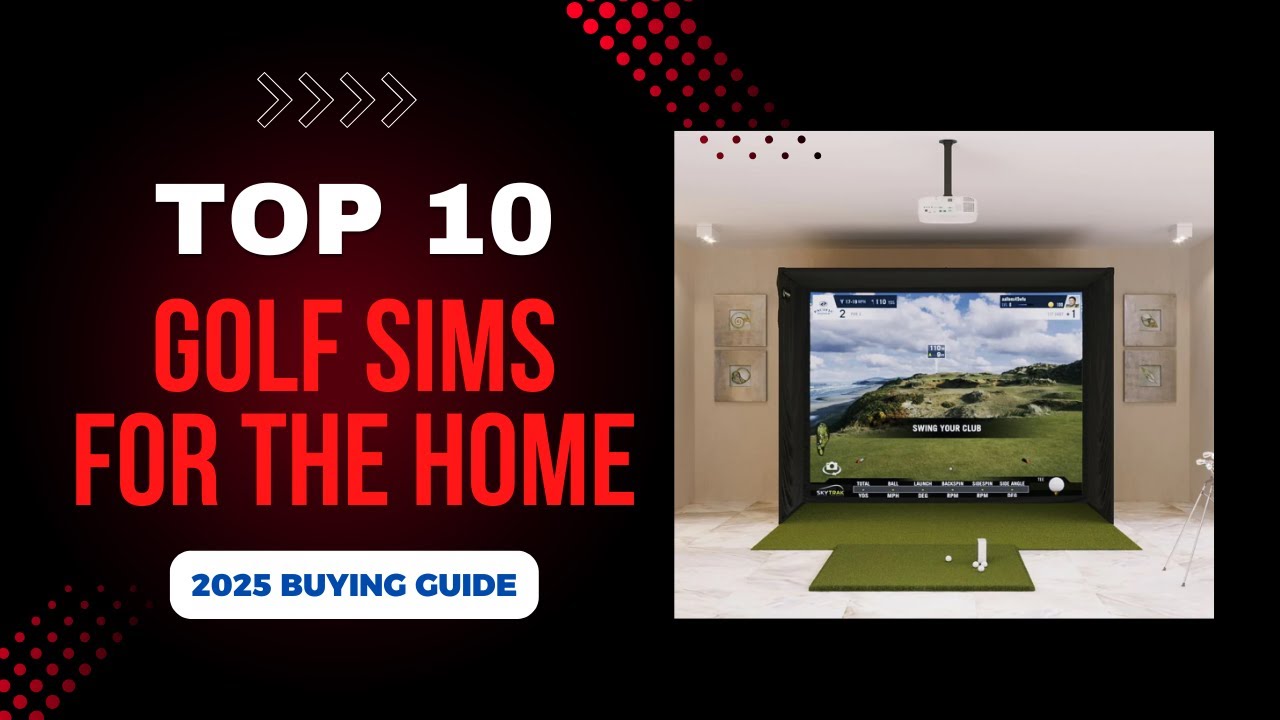
The Best Golf Simulators for Home (2025 GUIDE)
Why choose a home golf simulator in 2025
Indoor golf has evolved from a luxury to a practical, year‑round workout and entertainment solution. A high‑quality home golf simulator serves up realistic ball flight data, a wide range of virtual courses, and immersive practice modes. Whether you want to sharpen your swing, entertain friends, or recreate a round of golf on famous courses, a well‑chosen system can transform a spare room, garage, or basement into a personal golf studio.
- Accessibility: Play rain or shine, day or night, with swing data you can trust.
- Software diversity: A robust library of courses, game modes, and practice features.
- Value over time: A long‑term investment that can improve your game and your space’s resale appeal.
- Social setup: Invite friends for friendly matches or digital tournaments.
How to choose the best golf simulator for home
Picking the right system depends on your budget, space, existing gear, and how you’ll use it. Consider these key factors:
- Accuracy and data depth: Look for systems that deliver reliable carry, spin, launch angle, club speed, and dispersion data. entry‑level options trade some precision for affordability, while premium systems offer industry‑leading optics and sensor arrays.
- Software library: The included software and available add‑ons (e.g.,The Golf Club,E6 Connect,TGC,GC2 software) determine what courses you can play and how you practice.
- Sensor technology: Camera‑based, radar, or infrared sensor setups affect price and space needs. Camera systems tend to be highly accurate but can require tighter alignment; infrared and radar options vary in room requirements.
- space and ceiling height: Ensure you have enough width, depth, and height for full swings, especially with tee height and driving distance in mind.
- Budget and total cost of ownership: Include mats, nets, computer or console, sensors, launch monitor, and ongoing software subscriptions.
- Ease of setup and maintenance: Some systems are plug‑and‑play, while others require more configuration or ongoing calibration.
Top golf simulators for home in 2025 (entry to pro levels)
SkyTrak + The Golf Club ecosystem (great balance of cost and accuracy)
The SkyTrak launch monitor paired with The Golf Club software (and optional E6 Connect upgrade) remains a favourite for home setups. It offers real‑world ball data, including carry, distance, and dispersion, with a broad course library via The Golf club. this combination is well‑regarded for accuracy at a relative street price point and has a large community for tips and course packs.
- excellent value, strong community, versatile course options.
- Hardware around $1,500–$2,500 (SkyTrak) plus software licenses or subscriptions.
- Accurate enough for practice and improvement, decent course variety, straightforward setup.
- Cons: Requires a computer or tablet, occasional connectivity quirks, higher‑end software adds to cost.
- Minimum 9 ft ceiling height recommended for full swings; allow at least 10–12 ft of depth for driver shots with a hitting mat and a safe backstop.
- Best for: Budget‑conscious players who want solid data and a broad course library without breaking the bank.
OptiShot 2 Golf Simulator (affordable, beginner‑friendly)
OptiShot 2 is one of the most budget‑friendly indoor golf options. It uses infrared sensors to detect the club path and ball impact. While not as precise as camera or radar systems, it provides a fun and functional indoor golf experience and is a popular entry point for households testing the waters of home simulation.
- Low upfront cost; simple plug‑and‑play setup with basic swing feedback.
- About $350–$700 for the core package.
- Very affordable, easy to set up in a small space, no subscription required for basic play.
- Cons: Less accurate in data, limited course quality, sensor drift in some conditions.
- Space tips: A clear 8–9 ft ceiling and 9–10 ft of swing depth are typical minimums; use a sturdy mat and a safe backstop.
- Best for: Casual players, kids, or budget‑limited homes exploring indoor golf without a steep learning curve.
Foresight Sports GC2 / GCQuad ecosystem (high accuracy, pro‑grade)
For players seeking precise data and realistic ball flight, Foresight Sports delivers some of the best commercial‑grade accuracy. The GC2 and GCQuad are widely used by professionals and serious amateurs alike.They integrate with strong software ecosystems and provide industry‑leading tracking for practice and analysis.
- Unmatched data depth and repeatable accuracy for professional‑level practice.
- GC2 in the mid to high four figures; gcquad frequently enough exceeds $20,000 depending on configuration and software.
- Extremely accurate measurements, reliable for swing changes and club fitting, broad software compatibility.
- Cons: High upfront cost; space and installation complexity can be greater.
- Space tips: Minimum clearance of roughly 12–14 ft in depth is common for full swings; ensure strong backstop and soundproofing if indoors.
- Best for: Serious golfers, dedicated practice rooms, and coaches who demand precise swing data.
TrackMan Golf (premium radar tracking, portable options)
TrackMan is a premium radar‑based system renowned for industry‑leading accuracy in launch and ball data. While historically targeting professionals and golf academies, TrackMan offers home options and portable setups that bring elite performance to indoor spaces. Expect a significant investment and careful space planning.
- Best‑in‑class data fidelity, trusted by top players and instructors.
- Frequently in the $20,000+ range, with installation and software packages driving total cost higher.
- Highly repeatable results, strong data on ball flight, broad software ecosystem for analysis and swing improvement.
- Cons: Very high cost, requires dedicated space, potential calibration complexity.
- Space tips: Clear area with safe backstop; high ceilings and ample swing depth help prevent damage and maximize data quality.
- Best for: Players seeking the most precise data sets and who want a flagship home experience and coaching integration.
Golfzon Vision / Vision X (immersive, course‑rich experiences)
golfzon offers immersive, multi‑sensor experiences with vivid graphics and a broad course library. Vision systems are designed for home use with a focus on realistic visuals and a flexible space footprint. They balance performance with a more approachable price than the most premium options.
- Immersive visuals, integrated practice modes, good course selection.
- Varies with model and package, generally more than entry level but less than the top end of TrackMan/GCQuad options.
- strong visual environment, solid practice features, relatively straightforward setup.
- Cons: May be less precise than the GC2/TrackMan at the high end; space planning remains important.
- Space tips: 9–12 ft ceiling is common; ensure you have enough room for full swings and a safe landing zone for balls.
- Best for: Players who want a rich visual experience and a broad catalog of courses in a midsize budget bracket.
TruGolf Vista 8 / E6 Connect combo (versatile software and hardware)
TruGolf Vista 8 has long been a staple in home and commercial simulators, often paired with E6 Connect software for a polished course library and realistic practice environments.It’s a strong mid‑ to high‑range option with scalable components.
- Flexible configurations, strong software integration, broad course library.
- Typically in the mid‑range to high‑range depending on hardware and software bundles.
- Good balance between cost and fidelity, scalable for different spaces, solid support ecosystem.
- Cons: Setup can be more involved; updates and licenses can add to total cost.
- Space tips: 9–12 ft ceiling; ensure a clear 12–14 ft depth for pleasant swing and shot placement.
- Best for: Families and enthusiasts who want a reliable, feature‑rich system with strong course availability.
ProTee Golf (modular hardware with versatile software)
ProTee Golf is known for modular hardware and multiple software options, allowing you to tailor a system to your space and budget. It frequently enough appeals to DIY installers who want to mix and match sensors, projectors, or third‑party software.
- Customizable,scalable,strong value for the right configuration.
- Hardware bundles range widely, generally lower than the premium GC/TrackMan setups when configured thoughtfully.
- High customization, flexible pricing, strong community support.
- Cons: Requires more hands‑on setup and potential troubleshooting; variability in performance depending on parts chosen.
- Space tips: As with others, ensure clear space, appropriate backstop, and proper mounting options for sensors or projectors.
- Best for: tech‑savvy buyers who want to craft a bespoke home golf studio.
Swift comparison of top home golf simulators
Use this table as a snapshot guide to compare entry‑level,mid‑range,and premium options. Data is approximate and subject to change with new releases and software updates.
| Product | Type | Typical Price Range | Best For | Space Needs | Data/Data depth |
|---|---|---|---|---|---|
| SkyTrak + The Golf Club | Launch monitor + software | $1,500–$2,500 (hardware) + software | Budget‑minded players seeking solid data and variety | 9–12 ft ceiling; 10–12 ft swing depth | Carry, distance, launch; basic spin data with add‑on software |
| OptiShot 2 | Infrared sensor system | $350–$700 | Casual practice and family use | 8–9 ft ceiling; 9–10 ft depth | Club path and impact location; modest data |
| Foresight GC2/GCQuad | Camera/Radar hybrid (high precision) | GC2: mid‑four figures; GCQuad: >$20k | Serious players and coaches | 12–14 ft depth recommended | High‑accuracy ball data, spin, tilt, club data |
| TrackMan Golf | Radar/dual‑sensor system | $20k+ depending on package | Elite data and coaching integration | 12–14 ft depth+ | Premium launch, spin, launch angle, wind, club speed |
| Golfzon Vision | Immersive golf simulation | Mid‑to‑high range | Immersive visuals and robust practice suite | 9–12 ft ceiling; 12–14 ft depth | Quality visuals, course library, practice modes |
| TruGolf Vista 8 / E6 Connect | Hybrid hardware with software bundle | Mid to high range | Flexible setup, strong course library | 9–12 ft ceiling | Reasonable data set, strong course library |
| ProTee Golf | Modular hardware + software | Varies (frequently enough mid range) | Customizable DIY setups | Depends on chosen components | Varies by software; configurable |
Benefits and practical tips for a triumphant home golf setup
- Measure width, depth, and height before purchase. A 10–12 ft width and 12–15 ft depth room with a 9–12 ft ceiling is a common sweet spot for many home setups.
- Invest in a high‑quality hitting mat that protects your clubface and simulates real turf. Pair with a sturdy backstop or net to minimize rebound and ensure safety.
- For camera‑based systems, even lighting minimizes glare and improves data accuracy. Avoid direct sunlight on sensors when possible.
- Keep cords organized, mount projectors securely if used, and maintain ample clearance behind you for full swing and follow‑through.
- If you plan to practice lawfully and improve, pick software with extensive practice modes, analytics, and an active user community for tips and updates.
- Regularly update firmware/software, recalibrate sensors as recommended, and verify room stability (temperature and humidity can affect hardware).
Case studies: real‑world experiences with home golf simulators
case Study A: A 12×14 ft dedicated golf room with SkyTrak setup
John, a weekend golfer, transformed a spare bedroom into a full‑fledged golf studio. He installed SkyTrak with the Golf Club software, added a 10‑ft ceiling clearance, and used a 2.5‑inch foam backstop behind a hitting mat. After two weeks, he reported more consistent carry distances and a noticeable drop in dispersion on longer irons. The ease of use and active online community helped him troubleshoot data interpretation.
Case study B: Garage conversion using Golfzon Vision for a family
A family of four repurposed a compact garage into a Golfzon vision setup with a single projector screen, a durable mat, and a backstop. They appreciated the immersive environment and quick switch between practice,game modes,and mini‑tournaments. The space required was modest, and the visual quality helped keep practice sessions engaging for younger players.
Case Study C: ProTee Golf DIY system in a multi‑use room
A tech‑savvy golfer assembled a ProTee Golf system with a projector and a custom hitting area.The modular approach allowed them to upgrade components over time without replacing the entire setup. While setup required more planning, the result was a flexible, scalable home golf studio that could host friends and coaches for feedback sessions.
firsthand experience: practical tips from players who use home simulators daily
Many golfers report that the biggest benefits of a home simulator are consistency and convenience. Having data in real time helps players identify swing flaws, set measurable goals, and stay motivated through winter months. A reliable setup that matches your budget reduces the friction of going to a public facility, turning practice into a daily routine rather than a weekend event.
- Focus on data interpretation: Data is only useful if you can translate it into actionable changes in your swing.
- Regular calibration: For camera systems, recalibrate alignment if you notice drifting data. For radar/optical systems, ensure a clean, unobstructed space.
- Space adaptability: If room size changes seasonally, consider modular mounting or adjustable mats to maintain consistent swing lanes.
Frequently asked questions
- Do home golf simulators really improve my game? Yes, if you use the data for deliberate practice and track your progress over time. A good simulator gives you meaningful feedback on swing,impact,and ball flight.
- Is a high-end system worth it for a casual player? Not always. Casual players may prefer mid‑range systems that balance data quality with price and space requirements.
- What about room noise and acoustics? High‑end setups often require room treatment or mats to dampen sound. If you’re in an apartment, consider a sound‑absorbing enclosure or dedicated practice space.
Practical tips to optimize your home golf simulator experience
- Start with a clear budget and space plan. Map out dimensions, ceiling height, and the backstop area before purchasing.
- Prioritize accuracy where it matters most for you—distance control for mid‑range shots or data depth for club fitting and swing analysis.
- Test different software options if possible. Some platforms offer free trials or flexible licensing that can inform your choice without committing upfront.
- Join online communities and forums to keep up with software updates, troubleshooting, and new course packs.