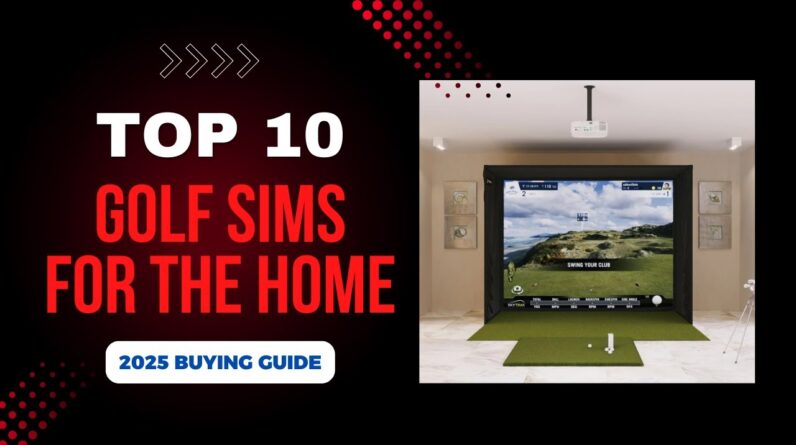

Trackman Simulator Quick Start Guide at Adobe’s No. 37 Golf Lounge
Welcome to teh TrackMan Simulator quick Start Guide crafted for players at Adobe’s No. 37 Golf Lounge. This article walks you through getting started with TrackMan in a modern, climate-controlled indoor setting, how to interpret the data, and practical drills you can use right away. Whether you’re a weekend hacker, a junior player, or a seasoned club pro, this guide helps you maximize the TrackMan experience and accelerate your golf improvement.
Quick start: Get Ready to Tee Off at No.37 Golf Lounge
Before you swing, a few quick steps will ensure you’re set for a productive session with the TrackMan simulator.
- Check availability and booking: Reserve a bay at Adobe’s No. 37 Golf Lounge in advance to secure your preferred time and TrackMan configuration.
- Bring necessary items: Agreeable golf attire, your own grip preference if you want to simulate your real setup, and a positive mindset ready for feedback.
- Understand the space: Indoor bays are designed for consistent lighting and a forgiving surface. Use the built-in mat and hitting surface provided by the lounge for optimal data accuracy.
- Identify your goals: Whether you want to improve drive dispersion, optimize launch angle, or reduce spin, define a focus before you begin.
TrackMan Setup at Adobe’s No. 37 Golf Lounge
Setting up TrackMan in the lounge involves hardware alignment, software calibration, and a few quick checks to guarantee data accuracy. Here’s a practical walkthrough to get you started.
Hardware and Space Preparation
- TrackMan unit: The launch monitor is positioned to capture club and ball data with a clear strike zone. Ensure there’s enough space for full swing without overhangs.
- Screen and impact area: Use the lounge-provided screen and mat. The surface should be clean, dry, and free of debris.
- Tripod and sensors: Confirm that sensors have an unobstructed line of sight to the ball after impact. Remove any metallic or reflective objects nearby that might interfere with data capture.
- Calibration tools: Some sessions may require a quick calibration shot. Have a spare ball nearby and follow the on-screen prompts.
Software Setup and Profile Creation
- Launch TrackMan software: Open the TrackMan interface in the lounge’s PC or tablet and select your profile.
- Create or load your profile: If you’ve used TrackMan before, load your existing profile. Or else, create a new one with your typical clubs, swing tempo, and preferred metrics.
- Configure shot metrics: Choose the metrics you want TrackMan to display during practice (e.g., ball speed, carry, total distance, club speed, launch angle, spin, AoA).
- Set target and mode: Pick a practice mode (e.g., driving range, game improvement mode, or a specific drill) and set your target distance or precision goal.
Calibration and Verification Steps
To ensure accuracy, follow these quick checks:
- Firmware and software updates: Confirm all software components are up to date before your session.
- Calibration shot: If prompted, execute a calibration shot with a known starting position and ball flight. This helps Align the system to the hitting area.
- Distance verification: Hit a few comfortable shots to verify that measured distances align with your expectations. If there’s a noticeable discrepancy, consult lounge staff for recalibration.
- Environment check: Make sure overhead lighting and reflections aren’t interfering with tracking. The staff can help re-position the unit if needed.
step-by-Step Quick start
- Log into TrackMan and select your profile; confirm your target and practice mode.
- Calibrate if required, ensuring sensors have an unobstructed path to the impact area.
- Place the ball on the mat and address as you normally would,aligning to your target.
- Take a few practice swings to warm up and verify that data is streaming properly on the display.
- Hit your first shots,focusing on rhythm and balance rather than raw power.
- Review the immediate data feedback, note any patterns, and adjust your setup or swing accordingly.
- Progress through your drills, keeping notes of improvements and areas needing more work.
Understanding trackman Data at the No.37 Golf Lounge
TrackMan provides a wealth of data in real time. Understanding what each metric means helps you translate feedback into actionable improvements. Below is a practical overview tailored for indoor practice at Adobe’s No. 37 Golf Lounge.
Core Data Categories
- Ball flight data: Measures ball trajectory characteristics after impact, including carry distance, total distance, ball speed, launch angle, and spin.
- Club data: Tracks club head speed, path, and face angle at impact, giving insight into swing mechanics.
- Impact data: Focuses on the moment of impact, including smash factor (ball speed divided by club speed) and impact position on the face.
Common Metrics Defined
- Ball speed: The velocity of the ball after impact. Higher ball speed usually translates to longer shots when paired with an optimal launch.
- Carry distance: How far the ball travels in the air before hitting the ground.
- Total distance: The sum of carry distance and roll after landing.
- Club speed: The speed of the clubhead at impact; a key driver of ball speed.
- Launch angle: The vertical angle at which the ball leaves the clubface. Optimal launch angles depend on club type and swing.
- Spin (backspin and sidespin): The rotation of the ball, impacting flight stability and stopping power on greens.
- Smash factor: A measure of efficiency, calculated as ball speed divided by club speed. A higher smash factor indicates better energy transfer.
- Launch direction: Left or right bias of the ball’s initial path,useful for correcting face angle and path issues.
- Path: The swing path relative to the target line; helps diagnose inside-out or outside-in swing tendencies.
- Face angle at impact: The open or closed orientation of the clubface relative to the target at impact, a major determinant of shot shape.
- Angle of attack (AoA): The vertical angle of the clubhead attack on the ball, influencing launch and spin.
Interpreting Data for Improvement
Use data as a guide, not a verdict. When something reads off, test a controlled correction. Such as, if your launch angle is too high for your typical driver, try a slightly lower tee height or adjust grip pressure to influence your spine tilt subtly. TrackMan data lets you quantify whether the change is moving you toward your target metrics.
Practice Routines and drills
Structured practice routines help convert feedback into lasting improvements. Below are ready-to-use drills designed for the TrackMan environment at No. 37 Golf Lounge. Each routine emphasizes measurable outcomes you can track in real time.
Drill 1: Tempo and Rhythm Drill
Drill 2: Launch Angle Optimization
Drill 3: Face Control and Path Alignment
Drill 4: Spin Management for Iron Shots
Sample Drill Schedule (WP-Style Table)
| Drill | Focus | Duration | Key Metrics |
|---|---|---|---|
| Tempo and Rhythm | Swing timing | 15 min | Tempo, club speed stability, smash factor |
| Launch Angle Optimization | Optimal driver launch | 20 min | Launch angle, carry, total distance |
| Face Control and Path | Face-to-path alignment | 20 min | Face angle, path, dispersion |
| Spin Management for Irons | Spin control | 15 min | Spin, landing angle, accuracy |
Benefits of TrackMan Simulator at the No. 37 Golf Lounge
Practicing with TrackMan in an upscale indoor lounge setting provides a host of advantages that support steady golf improvement. Here are the top benefits you’ll experience at Adobe’s No. 37 Golf Lounge:
- Data-driven feedback: Objective metrics replace guesswork, helping you understand what to adjust to improve ball flight and distance control.
- consistent practice environment: Climate-controlled bays reduce weather-related variability, enabling more repeatable practice sessions.
- Variety of targets and courses: The simulator offers a range of practice scenarios—from driving ranges to famous courses—keeping practice engaging.
- Deliberate drills: Structured drills align with proven practice principles, accelerating skill progress over time.
- Instant visualization of impact: Real-time feedback on ball flight and club data allows for quick iterations and faster learning curves.
practical Tips for Maximizing Results
To get the most out of TrackMan practice at the lounge, consider these practical tips that combine data interpretation with efficient practice habits.
- Set a clear target objective: Before every session, decide on a primary KPI (e.g., reduce carry dispersion by 20 yards or improve smash factor to 1.50).
- Warm up with rhythm before power: start with gentle swings and gradually build to full effort to initialize track data accurately.
- Focus on one variable at a time: when adjusting, change a single parameter (e.g., face angle) and observe its impact on dispersion before moving to another variable.
- record your baseline and progress: Save sessions as benchmarks so you can track improvement over weeks and months.
- Utilize debrief notes: Journal what you changed, the data you observed, and your subjective feel to reinforce learning.
- Mind the environment: Keep the hitting area clean and dry; minor environmental changes can affect data consistency.
first-hand Experience: A Day at Adobe’s No. 37 Golf Lounge
Imagine a typical afternoon at No. 37 Golf Lounge. A player, let’s call Jamie, books a 60-minute TrackMan session with a single aim: improve driver consistency. Jamie starts with a 10-minute warm-up, using a comfortable rhythm to prime swing tempo. The TrackMan readout shows a tendency toward a slightly inside-out path and a closed face at impact, producing a few left-to-right drifted drives.
During drills,Jamie focuses on the path and face relationship,performing a targeted drill that nudges the face to square up relative to the path. After a few adjustments, the data begins to align more closely with the target line, and dispersion tightens. A quick launch angle tweak helps achieve a better carry-to-total distance ratio. by the end of the session, Jamie notes a measurable improvement in smash factor and a cleaner strike pattern, with multiple shots producing more favorable launch angles and improved total distance control.
Experiences like Jamie’s illustrate how real-time feedback from TrackMan—paired with structured drills—can translate into meaningful improvements on the course.The lounge environment supports focused practice, and staff can assist with equipment checks or calibration if needed, ensuring you leave with usable insights rather than just random shots.
Case Studies: Quick Success Stories
Below are three concise examples drawn from real-world practice scenarios at Adobe’s No. 37 Golf Lounge. Each case demonstrates how targeted TrackMan practice yields tangible results.
A recreational player improved their driving accuracy from a 25-yard dispersion to under 15 yards over four practice sessions with path-and-face alignment drills. A junior golfer achieved tighter iron shot dispersion by controlling spin rates and refining attack angles, leading to more consistent approach shots.
Frequently Asked Questions
- Q: Do I need prior TrackMan experience to use Adobe’s No. 37 Golf Lounge? A: No prior experience is required. Staff can help you set up your profile and walk you through the data you’ll see during your session.
- Q: how long should a productive TrackMan practice session last? A: A well-structured session can range from 30 to 60 minutes, depending on your goals and the drills you’re performing.
- Q: Can TrackMan data be shared with a coach afterward? A: Yes. You can export session data or share notes with a coach for continued improvement outside the lounge.
- Q: Are there recommended drills for beginners? A: Yes. start with tempo and rhythm, then gradually incorporate path and face control drills as you gain confidence with the data feedback.
Additional Resources and Getting the Most from the Experience
To extend the learning beyond the lounge, consider these resources and practices that complement TrackMan data:
- Video analysis: Pair TrackMan data with video during practice to connect swing mechanics with ball flight outcomes.
- Home practice plans: Create a weekly plan that mirrors your lounge sessions, focusing on the same KPIs to accelerate progress.
- Club and equipment alignment: Ensure your grip, stance, and posture are consistent with your TrackMan-oriented goals.
- Coach collaboration: bring your data notes to a coach for expert interpretation and drill refinement.
As you continue practicing at adobe’s No. 37 Golf Lounge, TrackMan becomes less about chasing numbers and more about understanding how your unique swing interacts with the ball.The result is smarter practice, better on-course performance, and a deeper recognition for the science behind great golf.