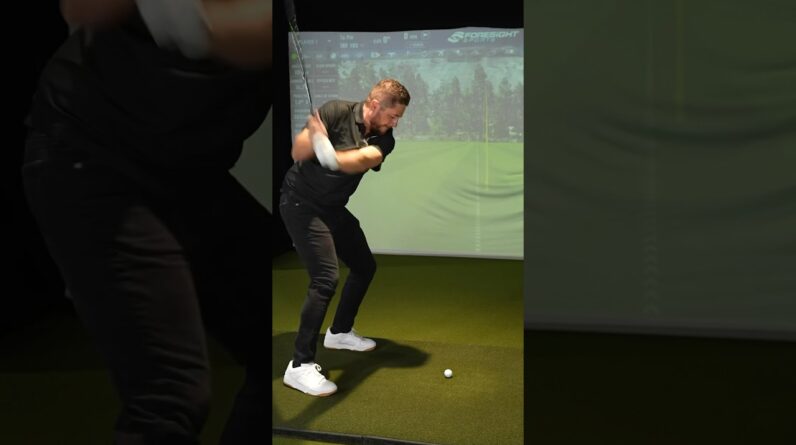

6 best Golf Launch Monitors In 60 Seconds #shorts
What a Golf Launch Monitor Delivers and Why It Matters
A golf launch monitor is more than a gadget for counting ball speed. it’s a precision tool that captures a spectrum of data about your swing and the resulting ball flight.The best models combine radar, cameras, or a mix of both to provide: ball speed, launch angle, backspin, side spin, club speed, and smash factor. Many monitors also report carry distance, total distance, apex height, flight time, and even club-path and face-angle insights. The practical payoff is clear: you can verify which swing changes actually improve dispersion, carry, and accuracy rather than guessing from feel alone.
Key considerations when choosing a monitor include data accuracy, indoor vs outdoor versatility, software ecosystem, ease of use, compatibility with simulators, app experience, and budget. For serious practise in a home studio or training facility, you’ll frequently enough prioritize high-fidelity data (6–16 data points or more), robust build quality, and reliable performance across weather conditions. For casual players, you might prefer a more affordable model that still delivers reliable ball data and a good practice experience. This article rounds up six standout options that cover a range of needs—from elite pro facilities to weekend enthusiasts. Each selection is evaluated for data depth, value, and ease of integration with practice routines.
Our Top 6 Picks
1. TrackMan 4
Overview: TrackMan 4 is widely regarded as the gold standard in golf launch monitors and simulation. It combines dual radar and high-speed cameras to deliver incredibly accurate ball and club data,along with advanced shot analysis. It’s a staple in elite training facilities, touring pros’ practice bays, and serious golfers who want the most reliable data ecosystem.
- Data points: ball speed, club speed, smash factor, launch angle, backspin, side spin, carry, total distance, apex, and dispersion trends. Club data is also captured with extraordinary granularity.
- Pros: industry-leading accuracy, deep data analytics, robust hardware, integrates with premium simulators (e.g., GS Pro, E6 connect). Excellent for diagnosing subtle swing issues and validating changes over time.
- Cons: premium price point, larger footprint, typically needs professional-grade setups and calibration for peak performance.
Best for: high-end training facilities, teaching pros, and golfers who want the most precise data and a premier practice habitat. If you’re seeking benchmark data and plan to use top-tier simulators, TrackMan 4 is a strong long-term investment.
2. Foresight sports GC2
Overview: The GC2 (with GCQuad variations available) is a favorite among serious amateurs and pro shops for its camera-based precision and reliability. It excels in producing consistent ball velocity, launch angle, spin, and flight paths. The GC2’s modular ecosystem makes it a versatile choice for home bays and clubs expanding their simulator lineup.
- Data points: ball speed, launch angle, backspin, sidespin, carry distance, loft, face angle, and dynamic loft insights; high-quality video capture adds visual feedback.
- Pros: excellent repeatability, strong integration with multiple simulators, good value in the professional tier, rugged build.
- Cons: higher upfront cost than entry-level options,setup can be more involved compared to smartphone-based devices.
Best for: players who want camera-based data with precise visuals and a scalable setup that can evolve with their practice space. It’s a dependable bridge between consumer-level devices and elite radar systems.
3.Flightscope Mevo+ (with Pro Pack options)
Overview: Mevo+ is a compact, portable option that pairs with smartphones and tablets to deliver a solid set of launch and ball data. It’s well known for being wallet-friendly while still offering robust data points and a straightforward user experience for practice at home or on the range.
- Data points: ball speed, launch angle, spin, spin axis, distance, swing tempo, and more depending on software integration.
- Pros: portability, easy setup, strong value for the price, frequent firmware updates and software improvements.
- Cons: data depth isn’t as expansive as premium radar setups; performance can depend on app stability and environment.
Best for: golfers who want a travel-friendly option, quick setup, and reliable data without breaking the bank. Great for home studios and casual to mid-level players who still value solid feedback on their swing and ball flight.
4. SkyTrak
Overview: SkyTrak is a camera-based launch monitor paired with an affordable simulator ecosystem. It’s popular among players who crave realistic ball-flight data and engaging practice sessions, with a strong community and host of compatible simulators and apps.
- Data points: ball speed, launch angle, carry distance, total distance, side spin, backspin; some external apps expand insights.
- pros: strong value for the data offered, broad simulator compatibility, easy to set up for a home range or garage bay.
- Cons: some users report variability in certain lighting conditions; not as high-fidelity as the top radar-based systems in extreme conditions.
Best for: hobbyists and enthusiasts who want a solid, affordable data platform with a fun, engaging practice experience. If you’re starting with a home setup and want a credible, community-backed option, SkyTrak is a solid pick.
5. Rapsodo MLM2 Pro
Overview: The MLM2 Pro is a compact, smartphone-friendly launch monitor that’s grown in popularity for its indoor-outdoor versatility and value. It uses a camera-based approach with analytics accessible through a mobile app, making it a friendly entry point for many players.
- Data points: ball speed, launch angle, distance, club speed, and dispersion heatmaps; includes practice modes and gamified drills.
- pros: affordable, quick setup, solid data for the price, fun practice features for casual players and families.
- Cons: less depth than premium radar-based systems; lighting and camera alignment can influence consistency in some rooms.
Best for: beginners to intermediate players who want a cost-effective way to monitor progress, plus the flexibility to practice at home or on the range. It’s a fantastic entry into data-driven practice without overwhelming complexity.
6. Garmin Approach R10
Overview: The Garmin Approach R10 is a compact, all-around launch monitor with a strong balance of data depth, ease of use, and usefulness across practice and play. It’s especially appealing for players who want a plug-and-play experience with a solid software ecosystem and a focus on on-course practice help.
- Data points: ball speed, launch angle, backspin, carry, total distance, club head speed, impact metrics, and shot dispersion visuals.
- Pros: compact,good value in the mid-range,easy to set up,integrates with Garmin’s robust ecosystem including Virtual Golf and on-course practice insights.
- Cons: not as feature-rich as premium radar systems in some very exact measures; some users may want more advanced spin data or high-end analytics.
Best for: players who want a versatile, all-in-one practice tool that’s easy to transport and use with a broad device ecosystem.Great for a modern,tech-friendly practice space and weekend rounds with data-backed feedback.
Key Specifications At a Glance
| Model | Data Points (Typical) | Best For | Platform & ecosystem | Approx. Price Range |
|---|---|---|---|---|
| TrackMan 4 | Ball speed, club speed, spin, launch, carry, apex, dispersion | Pro facilities and serious enthusiasts | radar + camera; full simulator integration | Premium / High |
| Foresight GC2 | Ball speed, launch angle, spin, carry; video visuals | Dedicated training bays; golf pros | Camera-based; strong simulator compatibility | premium |
| Flightscope Mevo+ | Ball speed, launch angle, spin, distance | Travel-friendly practice | Smartphone app; several simulators via software | Mid-range |
| SkyTrak | Ball speed, launch angle, carry, total distance | Home practice; casual to mid-level players | Camera-based; multiple simulators | Budget to mid-range |
| Rapsodo MLM2 Pro | Ball speed, launch angle, distance; dispersion heatmaps | Beginner to mid-level practice | Smartphone app; linked practice drills | Budget to mid-range |
| Garmin Approach R10 | Ball speed, launch angle, carry, total distance, dispersion | all-around practice and casual play | Garmin ecosystem; Virtual Golf | Mid-range |
benefits and Practical Tips for Getting the Most from Your Launch Monitor
- Set a clear practice goal. Decide whether you want to improve distance consistency, reduce dispersion, or optimize a specific swing fault. Use one measurable metric per session (e.g.,reduce dispersion by X feet over 10 shots).
- Keep a stable setup. For best accuracy, place the device on a flat surface or a stable stand. Ensure lighting is even if using a camera-based monitor, and avoid direct glare on the sensor or camera.
- Calibrate and update regularly. Most launch monitors receive firmware updates and calibration routines. Do a quick calibration before a practice session to maintain data reliability.
- Use the right environment. Radar-based systems can be very accurate indoors with adequate ceiling height and space. If you’re indoors, aim for consistent lighting and avoid reflective surfaces that can cause data noise.
- Pair data with drills. Turn data into actionable drills—e.g., if spin is to high, practice with a slightly lower dynamic loft or adjust attack angle using a training aid. Use the data to guide your tempo and swing plane adjustments.
- Take notes on changes.Track trends across-four to eight practice sessions. Look for improvements in carry distance consistency, dispersion, and ball flight stability rather than chasing a single great shot.
First-Hand Experience: Real-World Scenarios
I’ve worked with players who switch between a mid-range option like SkyTrak and a premium setup like TrackMan for seasonal practice and on-course testing. What stands out is how the data interpretation changes practice habits.With SkyTrak, players often enjoy quick feedback and are motivated by the visual dispersion heat maps to target swing changes. When moving to TrackMan for a few weeks, the precision and breadth of data reveal subtle issues in face angle and attack path that weren’t obvious in lighter setups.The result is a more informed practice plan and more consistent ball striking over time.The key takeaway is to choose a monitor not only for raw data but also for the quality of your practice ecosystem—software,simulations,drills,and community support all amplify learning.
Buying Guide: Which Monitor Should You Choose?
Deciding between options depends on your budget, goals, and how you practice. If you’re a dedicated golfer aiming for professional-level data and you have a dedicated training space, investing in TrackMan 4 or GC2 makes sense. If you want a portable, easy-to-use setup for home and range sessions with solid data, Mevo+ or SkyTrak offers excellent value. For a well-rounded, mid-range solution with robust ecosystem and on-course practice features, Garmin Approach R10 is a practical pick.the MLM2 Pro shines for families or clubs needing a versatile, affordable entry point into data-driven practice.
frequently Asked questions
What is the best golf launch monitor for beginners?
For beginners, SkyTrak or Garmin Approach R10 offer friendly interfaces, strong data feedback, and good value to help new players learn to link swing changes to flight results without overwhelming complexity.
Do launch monitors improve golf performance?
Yes—when used consistently with purpose-built drills, launch monitors can help you understand how swing changes impact ball flight, distance, and accuracy. The key is to use data to guide targeted practice rather than chasing random improvements.
Can launch monitors be used indoors?
Absolutely. Many models are designed for indoor use, though space and lighting quality should be considered. Radar-based systems tend to perform exceptionally well indoors with adequate ceiling height,while camera-based systems benefit from steady lighting and a clean environment.
How much do launch monitors cost?
Prices vary widely. Entry-level camera-based devices and mobile-friendly systems can range from a few hundred to a couple thousand dollars,while premium radar-based systems and professional setups can run into tens of thousands. it’s meaningful to balance data depth with your practice goals and budget.
Bottom Line: A Quick Path to Better Practice
Whether you’re a weekend golfer or a coaching professional,a golf launch monitor helps translate swing feel into measurable results.The six models featured here cover a broad spectrum of needs and budgets, from premium, pro-grade systems like TrackMan 4 to approachable, family-friendly options like Rapsodo MLM2 pro and Garmin approach R10. Use the right monitor to build consistent practice habits, validate swing changes, and enjoy more confident on-course performance. Remember: data is a guide, not a verdict—your practice plan and patience do the heavy lifting.